Overview
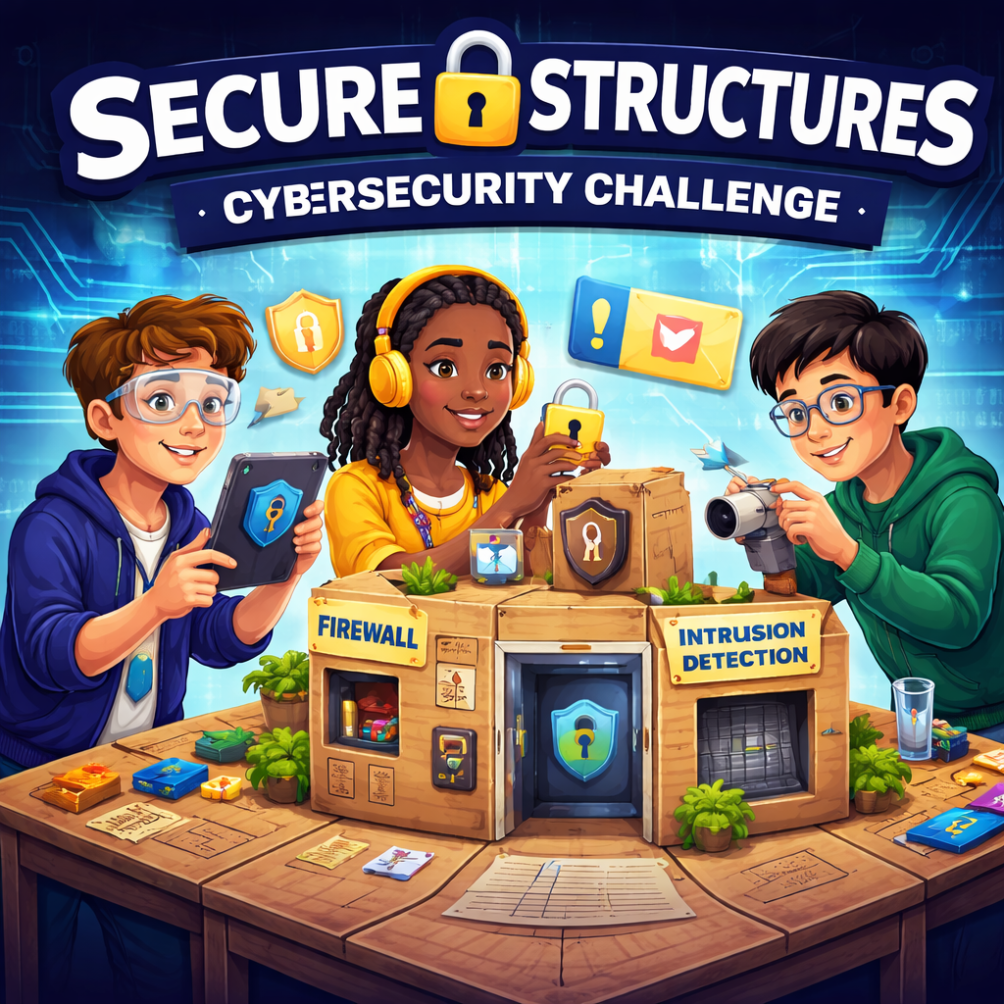
In this hands-on and digitally integrated lesson, students design and build a “secure system” using cardboard construction materials (Makedo kits or alternate supplies). Through collaborative problem-solving, students explore foundational cybersecurity concepts such as firewalls, encryption, and login portal. Learners document their design process and connect their work to real-world cybersecurity careers.
Career Connections: Cybersecurity Analyst, Ethical Hacker (Penetration Tester), Network Security Engineer, Information Security Officer
NB Curricular Connections
| 6-8 Learning Areas |
| Technology 6-8
Strand: Design Thinking – Big Idea: Problem Solving – Skill Descriptor: Construct and present a project within given parameters and with assistance. |
| English Language Arts 6-8
Strand: Interactions – Big Idea: Exchanges – Skill Descriptor: Ask and respond to questions to clarify information, explore possibilities, and identify solutions to a problem. – Skill Descriptor: Give and respond to a variety of directions and instructions. Strand: Representations – Big Idea: Composition – Skill Descriptor: Organize ideas and create written and media texts collaboratively and independently (extension activity) |
| Personal Wellness:
Strand: Career Connected Learning – Big Idea: Thinking about potential career pathways – Skill Descriptors: Demonstrate an informed vision for the future linked to own interests, preferences, values and abilities. |
What You’ll Need
-
- Makedo cardboard building kits (if available)
OR alternate materials: tape, scissors, glue, pipe cleaners, binder clips, cereal boxes, straws, popsicle sticks, string, rubber bands - Cardboard pieces
- Markers and sticky notes
- Devices with camera and Internet access
- Cybersecurity Challenge Cards
- Optional digital tools (Google Docs, Padlet, Canva/Lucidchart, Kahoot/Quizizz)
- Makedo cardboard building kits (if available)
Instructions
Engage – Discuss Cybersecurity Systems (10 min)
- Prompt Discussion:
“Hackers don’t usually break walls – they break systems. What does that mean?” - Discussion Questions:
- How do hackers steal information?
- Why are human mistakes often the biggest vulnerability?
- How do companies defend their systems?
- Introduce cybersecurity careers using videos provided
- Explain to students that they will build a physical model representing a secure digital system.
Explore – Design Challenge & Mission (15 min)
- Mission Setup (Clear Expectations):
“Hackers are trying to steal your team’s password. Your mission is to protect it using layers of security. You will design, build, and test a secure system that meets these expectations:- Login Portal: One controlled entry point only
- Firewall: Strong outer barrier to slow or stop intruders
- Encrypted Compartment: Hidden or scrambled location for your password card
- Password Card Creation:
- Each team creates their own unique password (letters, numbers, symbols) to place on their password card.
- Optional security enhancements include multi-step access such as opening a flap then sliding a panel and finally lifting a lid. Students can create decoy passwords using fake cards or misleading labels. They may add intrusion detection alarms like a bell or string that triggers when a flap is opened.
- Key Concepts with Examples:
- Firewall: Blocks or slows unauthorized access → cardboard layers, straw maze, binder clip barrier
- Encryption: Hides or scrambles information → hidden compartment, coded password, flap inside box
- Login Portal: Secure entry point → flap door, sliding panel, tabbed door
Plan Your Design (5–10 min)
- Review your Cybersecurity Challenge Card. How will you protect your password? Which security features will you include in your design? Plan your system by creating a quick sketch, labeling the login portal, firewall, encrypted compartment, and any optional defenses such as multi-step access, decoy passwords, intrusion alarms, or encoded passwords.
- Indicate clearly where your password will be stored. Think like a hacker: consider where someone might try to break in and what could happen if one layer fails. Ensure your plan includes at least three layers of protection and consider redundancy. Finally, get feedback from the teacher on your plan before you start building.
Create – Build Phase (25–35 min)
- Pass out Makedo kits and any additional materials. Before you begin, review safety rules for all tools including Makedo tools, scissors, tape, and other supplies. Handle everything carefully and responsibly. The makedo website includes helpful instructional videos for classes – https://www.make.do/pages/using-the-makedo-tools.
- Decide the order you will build your system and plan how each part will be constructed.
- Build your secure system based on your design plan. Include:
- A Login Portal: a single controlled entry point
- A Firewall: an outer layer to block or slow intruders
- An Encrypted Compartment: a hidden or scrambled location for your password card
- Optional defenses if you wish: multi-step access, intrusion detection, decoy passwords, encoded passwords, or other creative ideas
- Label all parts of your system clearly as you build to help with later digital mapping.
- Test your system as you build. Try to identify weaknesses and think like a hacker—what could someone try to break in? What happens if one layer fails?
Share and Test – Ethical Hacking (10–15 min)
- Teacher Prompt:
“Cybersecurity teams hire penetration (pen) testers to find weaknesses. Today, you are ethical hackers.” - Rotate to another group’s system or digital diagram.
- Observe carefully and identify key features: login portal, firewall, encrypted compartment, and any optional defenses.
- Simulate a safe hack: predict where a hacker might try to access the password and consider what happens if one layer fails. Do not physically open encrypted compartments unless the team agrees.
- Record your findings for the system you are testing, noting:
- One strength
- One vulnerability
- One suggested improvement
- Use sentence frames to support constructive feedback, for example: “You could strengthen this by …”
- Share observations respectfully and discuss possible ways to improve security.
Reflect (10 minutes)
- Reflection Prompts:
- Which security feature was most effective? Why?
- Where was your system weakest?
- Use the “Make Meaning” documents and choose one activity to complete with your class.
- Choose one extension activity below or create your own!
Extension Ideas (Apply):
- Ethical Hacker Debate (Speaking & Listening): Prompt students with the question “Are ethical hackers necessary, or do they create more risk?”. Students will research, prepare arguments, and participate in a structured discussion or mini-debate.
- Cybersecurity PSA: Engage students in creating a public service announcement warning peers about cyber threats. Formats may include a poster, video script, podcast recording or social media campaign mock-up. Ask students to include a clear audience, strong messaging, persuasive techniques, and accurate cybersecurity vocabulary.
- “A Day in the Life” Career Narrative: Students create a short first-person narrative titled “A Day in My Life as a Cybersecurity Analyst”. Include a problem they solve, tools they use, collaboration with co-workers, and information about a system they are protecting. Encourage multiple means of representation (written piece, voice recording, comic strip, Canva presentation, etc.)